
All SWOOP products allow customers to upload attribute data to help segment audiences within their employees.
To choose a segment or audience by a specific attribute value, such as a particular department name, you will need to navigate to the Segment or Audience dashboard (depending on the SWOOP product) and then search for the attribute value in the Segment.
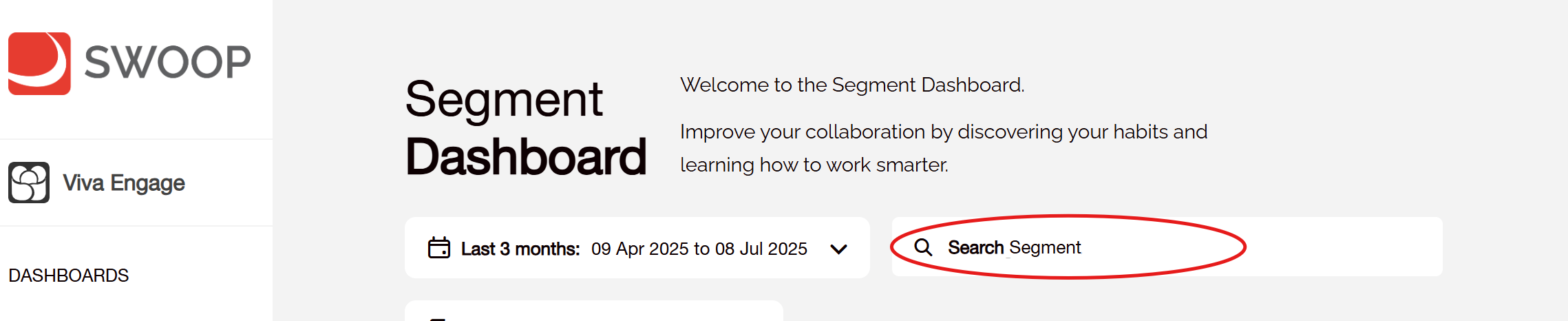

Typing the value in the search box will show matching values with the specific attribute shown in the brackets. For instance, searching for 'sales' might show the Sales Department from the 'Department' attribute as well as job titles with the word Sales in from the 'Job Title' attribute.
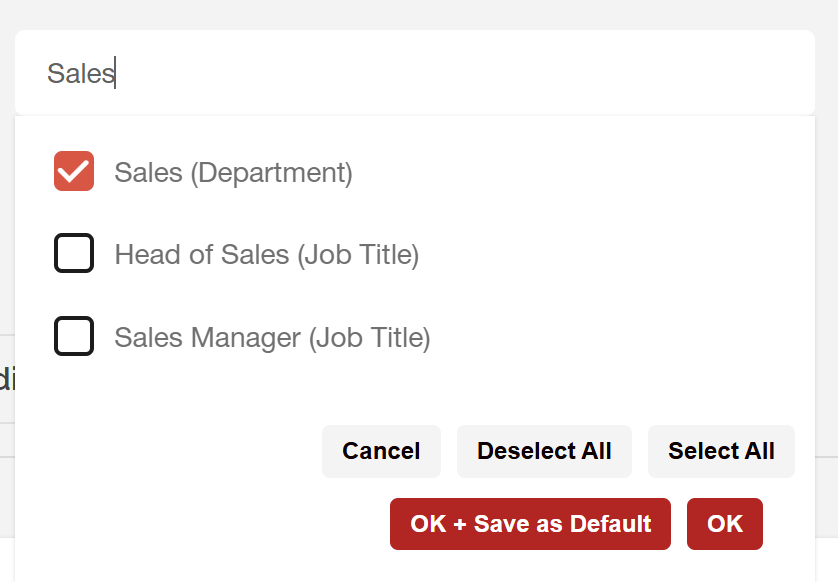
Once selected, the reports within the dashboard are filtered to match the selected value.
It is possible to select more than one value from more than one attribute when filtering. To keep it simple we combine these selections as an 'OR' query meaning we will return results from people that have a value that matches ANY of the selected attributes. We currently do not support the filtering of segments and audiences by only showing the results that match ALL of the selections (what would be an 'AND' query).
In practise this means if you select a value from an attribute like 'Department' and a value like 'City' we would return results for anyone who matched the department OR anyone who matched the city rather than showing results for only those people who matched both.