
What is the Most Engaging Posts report
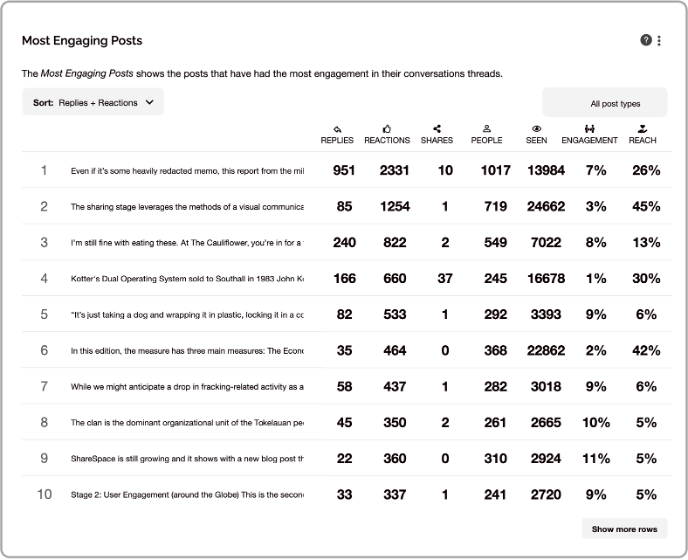
The Most Engaging Posts report in SWOOP for Viva Engage ranks posts based on a range of different criteria you can select over the selected time period. It identifies posts that have generated the most overall engagement. You can see data for and sort it by following ranking criteria:
- Replies + reactions
- Replies
- Reactions
- Shares
- People (this refers to the number of unique people who interacted with the post)
- Seen (number of people who have seen the post)
- Engagement (Percentage of people who posted/replied/reacted as a percentage of those who have seen the thread)
- Reach (Percentage of people who have seen the post as a percentage of everyone who has access to Viva Engage)
- Community Reach (Percentage of people who have seen the post as a percentage of the number of members of the community.
Note: Community Reach is a toggle that is available on the Community Dashboard only. In public communities, the percentage can exceed 100% given that you don't need to be a member of a community to read a post.
How to use the Most Engaging Posts report
Conversation is the heart of value creation on Viva Engage. It’s only through conversation that individuals can make sense of a colleague’s posted opinions; HR’s new family leave policy or the CEO’s message about building customer intimacy.
The Most Engaging Post report can be used to keep a pulse of the topics and conversations that matter the most to your employees. You can see which posts perform above others and then explore the 'why'. Takeaway learnings from the posts that performed the best and apply the formula to future posts and campaigns.
It has two modes
Most Engaging
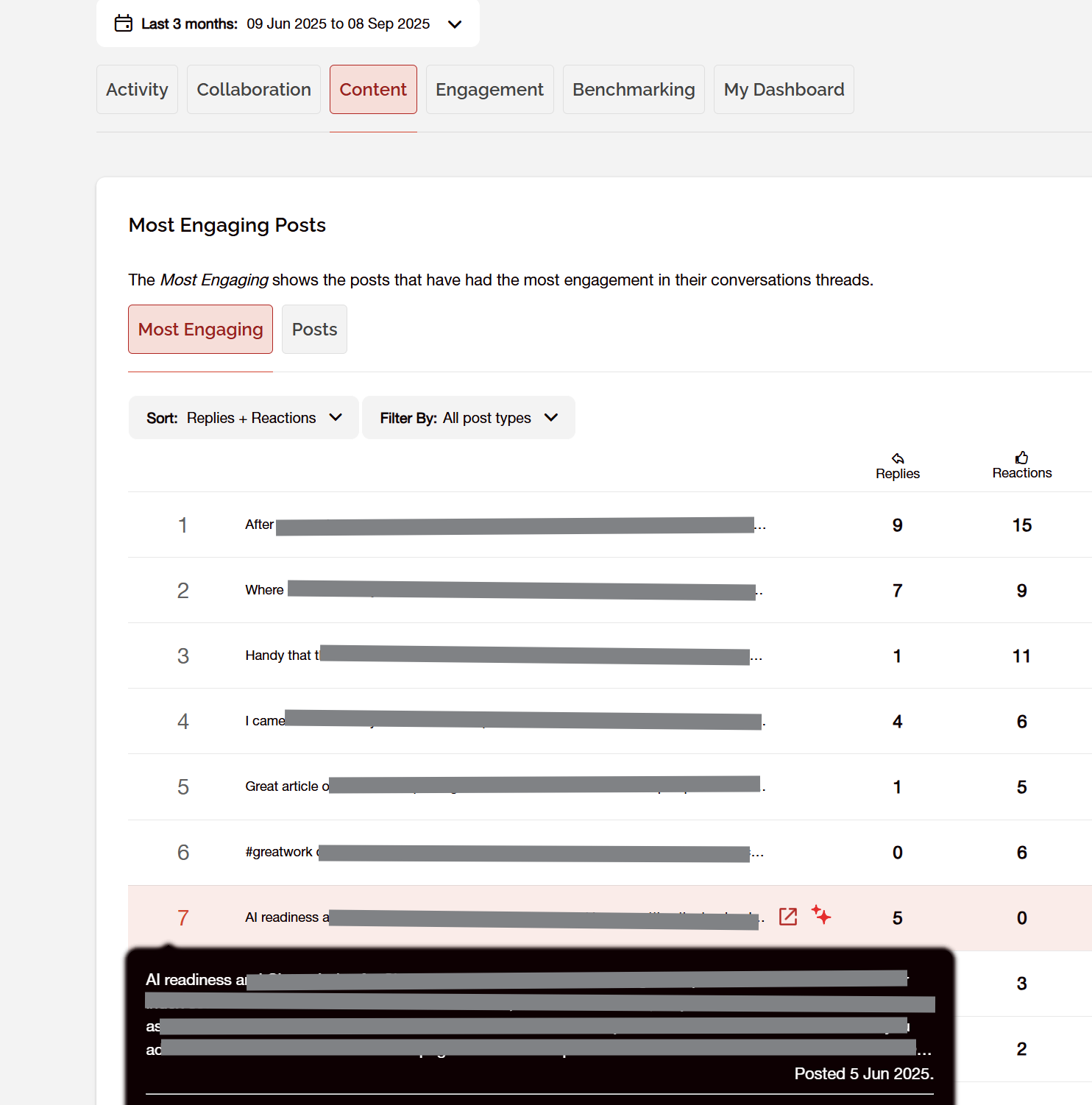
This mode will show any posts that received "engagement" in the form of replies, reactions or shares in the selected date range. The original post may have been made before the earliest date in the selected range, but as it has activity associated with it, we will display it. In the example below the date range begins on the 9 June, but one of the posts was made on the 5 June but has activity in the period.
Posts
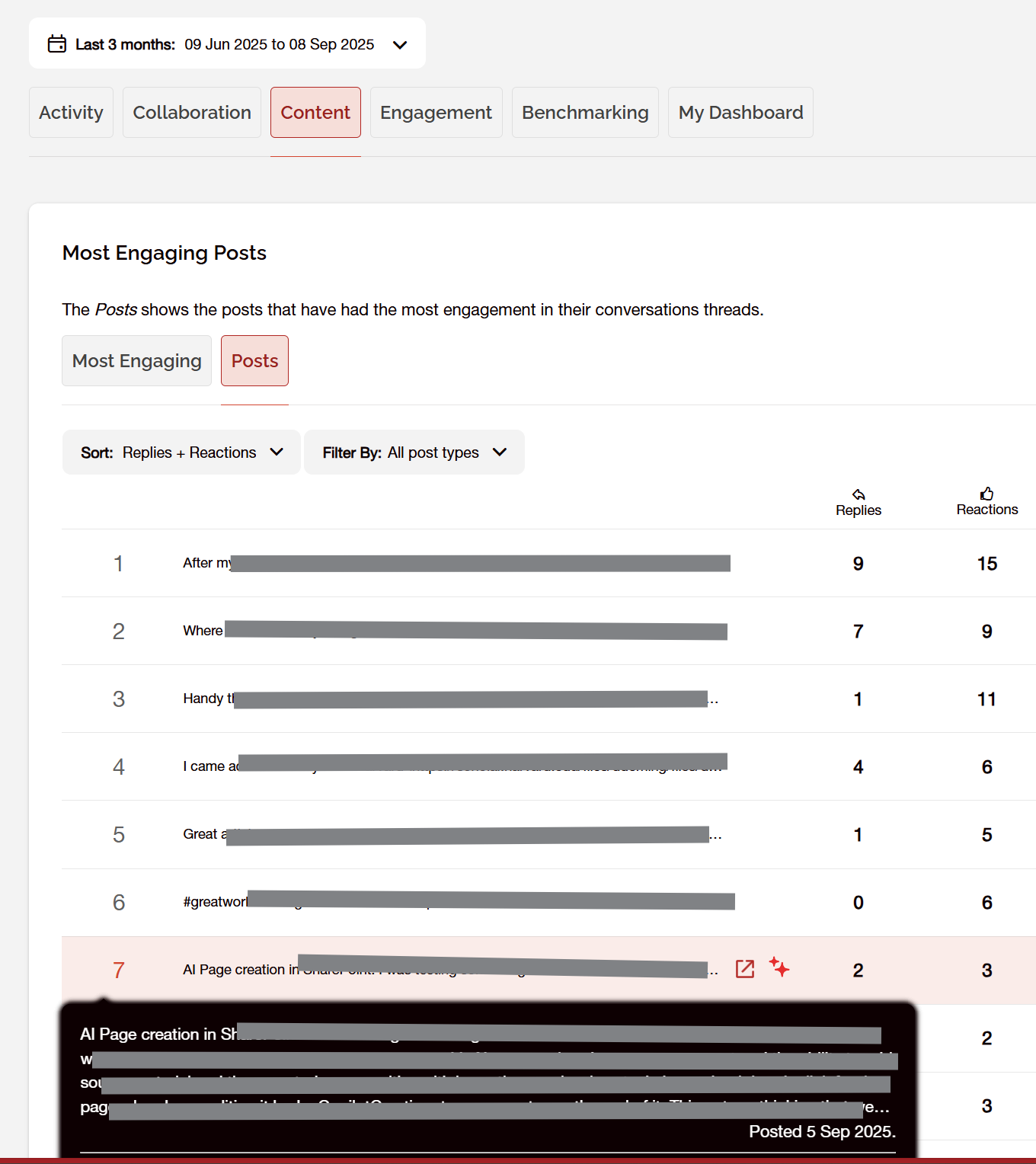
In this mode only posts made during the selected date period will be displayed. This allows you to filter posts to the date they were posted and will not display posts made before the date selected, even if they had replies. This is useful if you want to show the posts made in a community during a certain month for example.
Connect and discuss
Want to talk with others about this? Join our User Group on LinkedIn.