How it works
When pages and news articles are added to your SharePoint intranet, or when you publish new versions of these, SWOOP for SharePoint will process the content and provide you with a list of things you should fix. This is reported in the Fix list. Read more here: Fix List / Things to Fix and Pages with Issues (SWOOP for SharePoint). Note that files are excluded from this processing and analysis.
The advanced option leverages AI technology to deliver enhanced detection of both spelling and grammar mistakes, offering a more comprehensive solution. The basic option provides reliable spelling correction using a standard dictionary and a customisable word list, supporting multiple languages. These options allow users to choose the level of language checking that best fits their needs.
Advanced Spell Checking
The advanced version is checking page content against Azure OpenAI's Large Language Model which detects both spelling and potential grammar mistakes. Since the dictionary is therefore all words in the language model, it is exceptionally comprehensive and multi-lingual.
This is performed in the same region as where the customer data is stored. Advanced spelling and grammar checking is currently not available for customers who have data stored in the Azure Region in Germany.
The Azure service we're using is the Large Language Model (LLM) GPT4o. The use of AI that most people are familiar with today is tools such as Copilot, where a person will enter text and Copilot will respond. Our use of AI in this context is entirely different as we pass the intranet page content to the Azure AI service, asking it to perform spell- and grammar checking and return the result in a particular format, which SWOOP then stores. As such, the end-user is not directly, or indirectly, involved in the interaction.
Microsoft has strict security and privacy governance, and none of your intranet content is made available to anyone, nor is it being used to train any services. You can read more about this in Microsoft's approach to security.
Basic Spell Checking
The basic version uses a language tool hosted by SWOOP Analytics in the same region as where the customer's data is stored and processed. This identifies spelling mistakes only and does not check for grammar mistakes. It is robust, but not as comprehensive as the advanced option.
It supports multiple languages including: Arabic, Catalan, Chinese, Czech, Danish, Dutch, English (AU), English (CA), English (NZ), English (UK), English (US), Finnish, French, German, Greek, Hungarian, Indonesian, Italian, Japanese, Korean, Malay, Norwegian (Bokmål), Polish, Portuguese, Romanian, Russian, Spanish, Swedish, Thai, Turkish, Ukrainian, Vietnamese.
How to change between advanced/basic
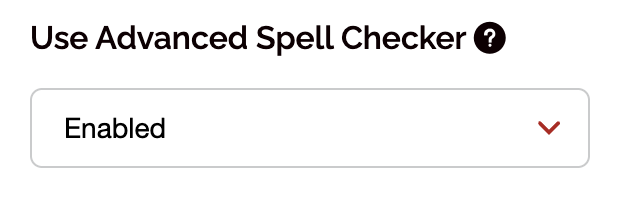
As a SWOOP Admin you log on to SWOOP for SharePoint and then click Admin / Dictionary. Here is an option that will allow you to change between advanced and basic. As a default, the advanced option is enabled: