
As part of the different roles and permission in SWOOP for SharePoint, we have an Advanced User role. This role can be used to grant permission for users to add mis-identified spelling mistakes or broken links to the relevant dictionary or ignore list without the need to be a SWOOP Admin.
Permissions Granted
When enabled, Advanced Users will be able to:
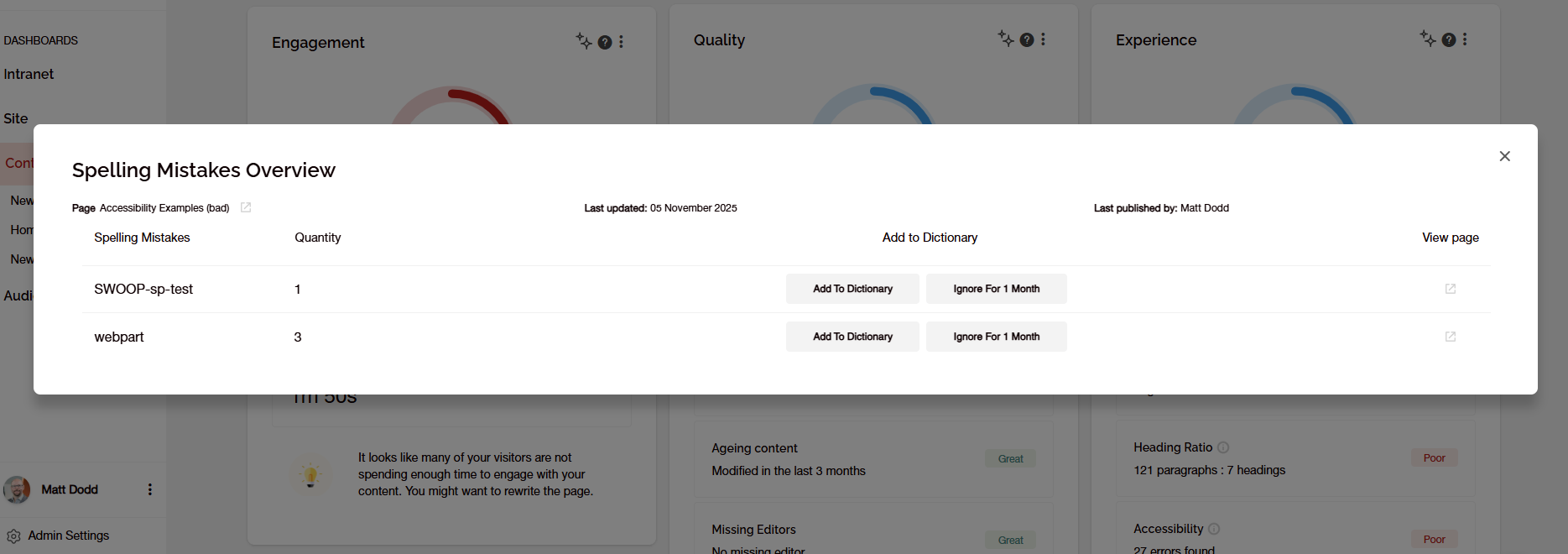
- Add words identified as spelling mistakes to the dictionary, so they will no longer appear as errors (after a mining cycle has completed).
- Ignore words identified as spelling mistakes for 1 month, to allow them to be checked for correctness.
- Add broken links to the ignore list, so they will no longer appear as errors (after a mining cycle has completed).
Advanced Users will not have access to any of the admin screens for SWOOP, including the dictionary and broken link tabs.
Reports affected
When enabled, Advanced Users will see the options to add words or links from
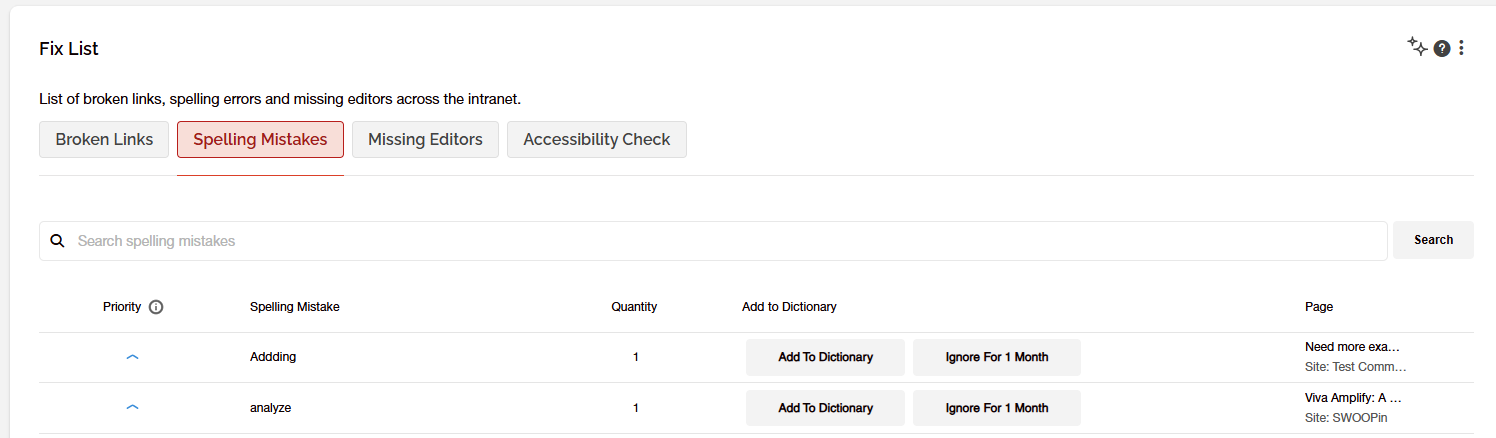
- The Fix list report, under both the Spelling Mistakes and Broken Links tabs, across all levels of dashboard under the Health tab.
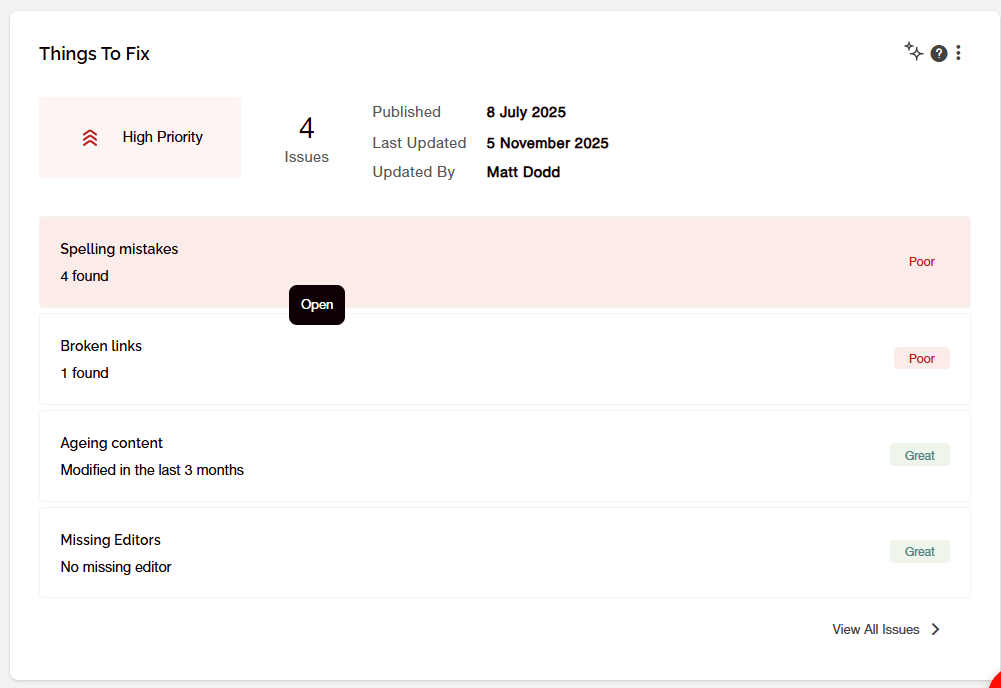
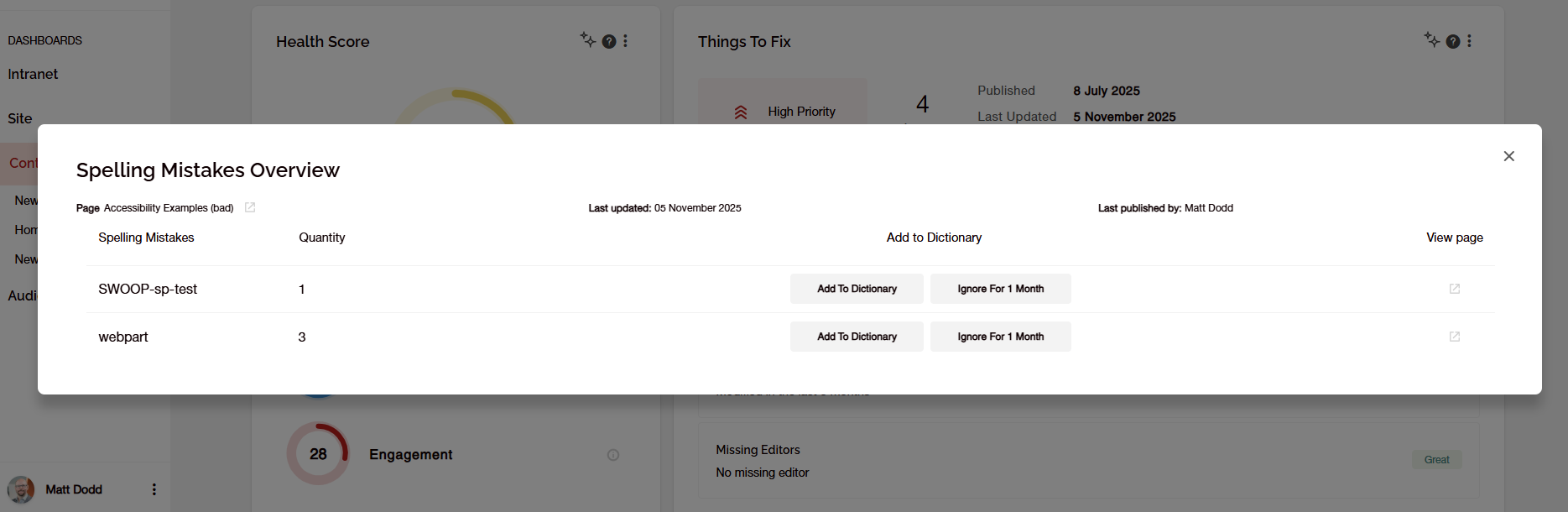
- The Things to Fix report on the Essentials tab of the Content dashboard when a single content item is selected. A modal to control the management of the identified issues is accessed by clicking on the errors listed.
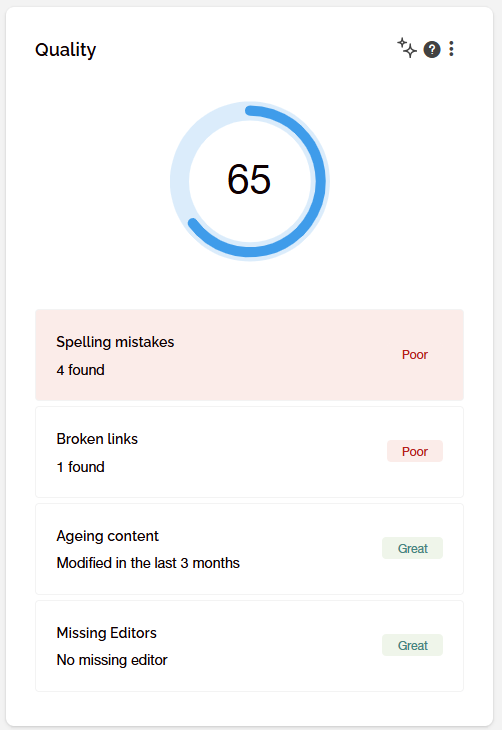
- The Quality Report on the Health tab of the Content dashboard when a single content item is selected. A modal is accessed by clicking on the errors listed.
Enabling the Permissions
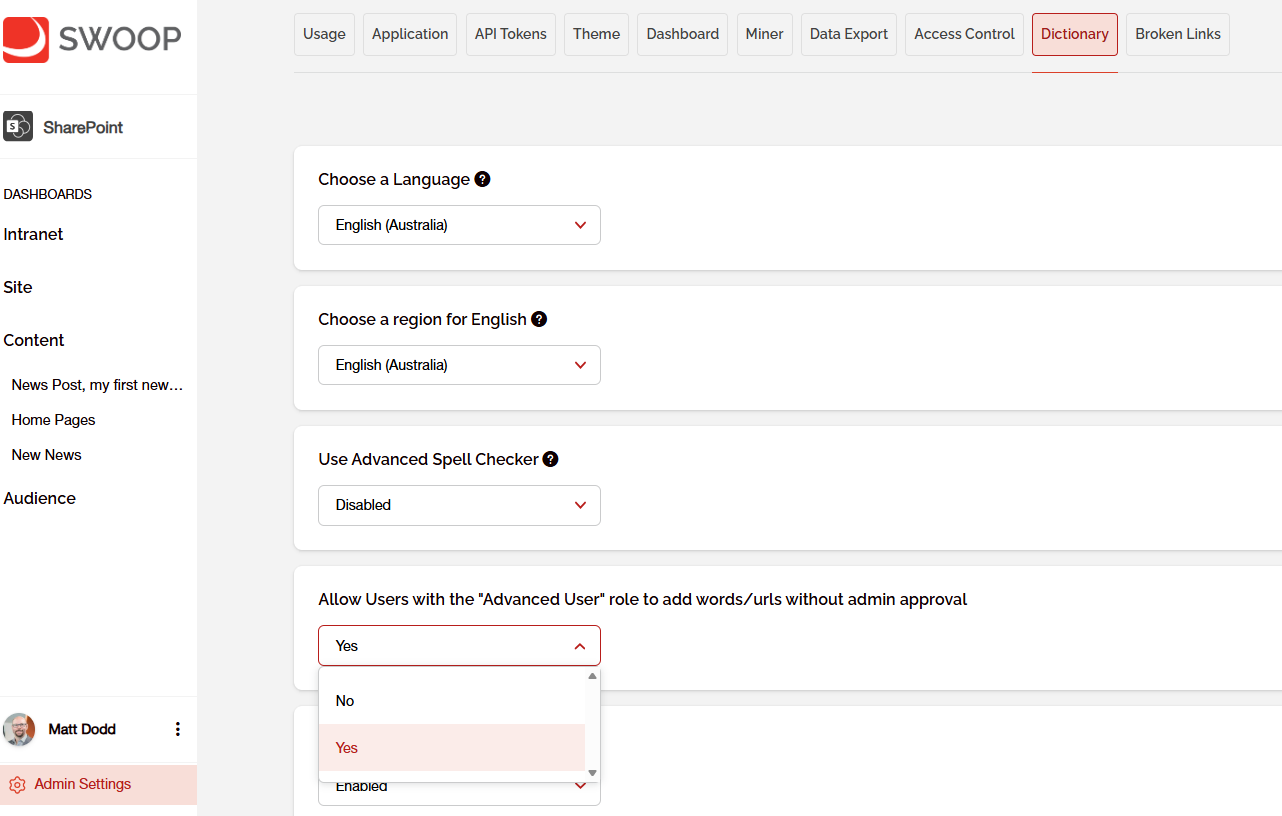
A designated SWOOP Admin will be able to grant anyone who is an Advance User permission by going to the Dictionary tab in the Admin area and selecting 'Yes' from the Allow Users with the 'Advanced User' role to add words/urls without admin approval section
You can see how to add users to the Advanced User role for more details on role settings.