
Server status: USA Europe Germany Canada Australia
If you activated SWOOP for Teams before 14 August 2020 there will not be any data for calls, chat and meetings. To add calls, chats, and meetings data do the following:
(Note: Only Office365 Admins can do this)
- Log on to SWOOP for Teams with your Office365 Admin credentials
- Click on the 'Admin' link in the bottom left fly-out menu of SWOOP
- Click on the 'Data Mining' section, locate the URL for the SWOOP data miner and click on the link
- Click 'Login to Microsoft Azure' using your Office 365 Admin credentials to access the SWOOP data miner:

- Click the 'Upgrade Miner' button:
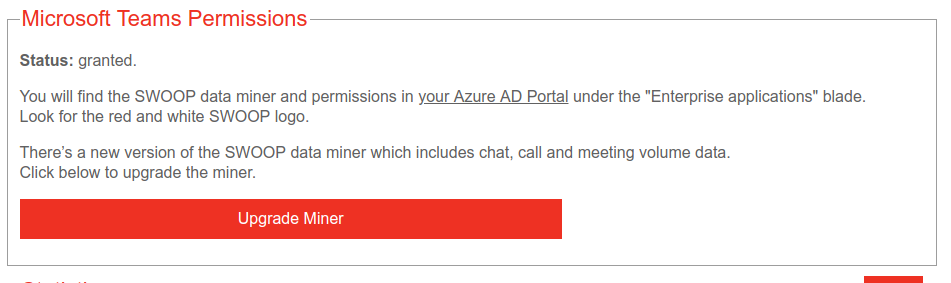
This step will log you out of the data miner, and you will need to log in again (as per step 4 above). - You'll now be prompted to start the content process in Microsoft Azure:
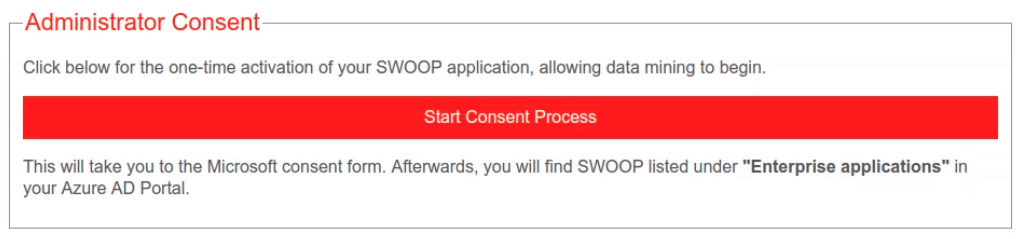
- Follow the steps in Azure to grant consent
You're done. The SWOOP data miner will now start collecting calls, chats and meetings data.